
Trello Columns
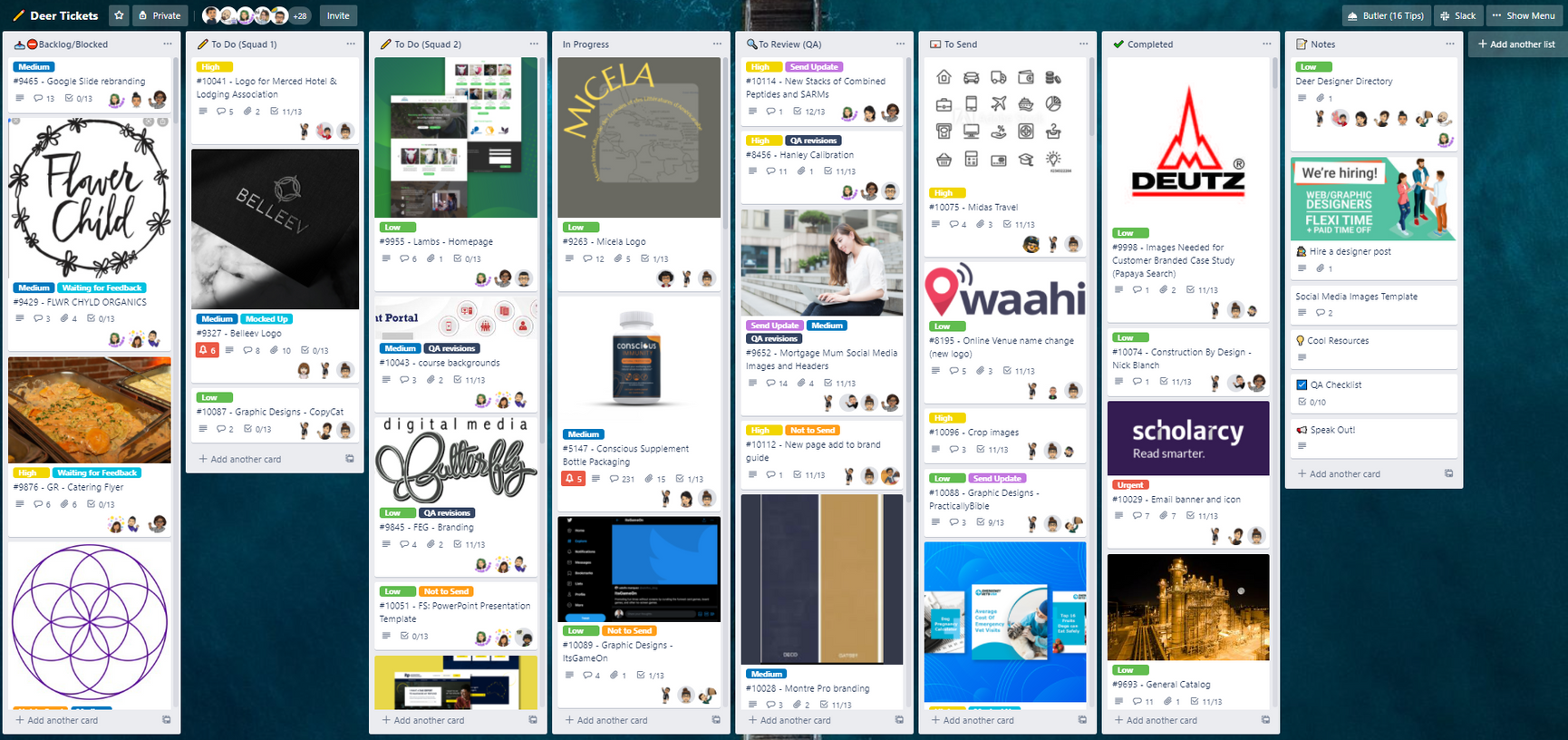
When a ticket arrives, it goes to the Backlog. This list is mainly for the Account Managers and Virtual Assistants. However, if you have free time and you wish to work on another ticket, you can always browse through Backlog to see if there are tickets assigned to you and ask the Account Managers if you can work on it.
Depending on what squad you will be assigned, you will find all the tickets that needed to be worked on for the day. When you start the day, filter through the To Do list and check all the tickets assigned to you. Tickets assigned to you will have your avatar in them (in the lower right corner). Tickets are arranged based on priority levels – with the bottom-most ticket being most urgent – so work your way from bottom to top.
All assigned tickets to you in this column should be worked on, it doesn’t need to be finished since we can send an update to the client.
When you start working on a ticket, you move it from To do to In Progress. All tickets in this list are actively being worked on.
💡 Work only on 1 ticket at a time.
This list is a queue of tickets to be reviewed for Quality Assurance. When you’re done working on a ticket, you move it from In Progress to To Review.
⚠️Warning: Wait for your ticket to be moved to To Send column before leaving for the day.
Once a ticket passes the QA process, it will be moved to To Send. All tickets in this list are pending to be sent to the clients by the Account Managers.
💡 You are now free to sign out if ALL your ticket is moved in this column.
All completed tickets go to this list. Once a ticket is sent to the client, it will be moved to Completed. Over time, older tickets in this list should be archived.
This is a list of resources for everyone’s perusal. Feel free to browse through the list