
Slack – Tagging and Messaging
Direct messages
Just like in Whatsapp or Facebook Messenger, you can privately message anyone in the team by clicking on their names.
However, for ticket-related questions, concerns, and clarifications, you are NOT allowed to message your Quality Assurance and your Account Managers privately. Please refer to #squad-channels when you ask questions.
Ticket-related questions will not be answered privately.
Tagging
In Deer Designer, all questions, clarifications, and queries should be asked in your respective squad channels.
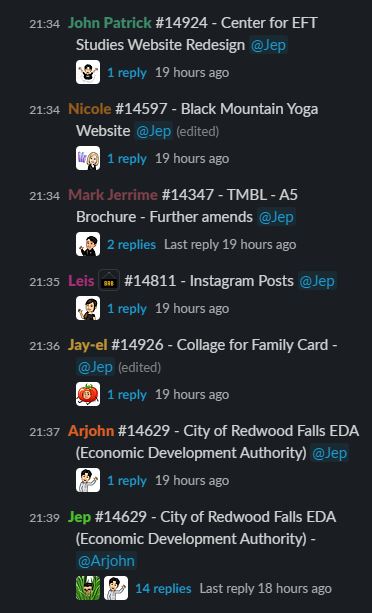
Always use the ticket number and name when you are tagging someone regarding a ticket.
- ex. #11904 – App icon design – Name of your QA/AM/TL that you will direct your question
Create a thread for it to avoid unnecessary clutter in your squad channels. In the example below, Jep is the Quality Analyst (QA)
Who to Tag?
Each squad has a different AM or QA assigned. You can meet your QA and AM once you are assigned to a squad.
Account Managers
- If there are missing or broken links in your ticket
- If the ticket says there’s an attachment but there’s no file attached to it.
- Ask for an update on your client’s tickets.
- If you are not sure what dimensions to use for the ticket
- If you are not sure of what branding to use for the ticket
- If you want to clarify ticket’s instructions
- Technical issues
- Technical issues
- If you think you can’t work on a particular ticket
- If you have software, hardware, electricity, and/or internet issues
- You can also talk to the Team Leader if you have personal problems that can affect your work here in DD.
