Slack Preferences/Settings
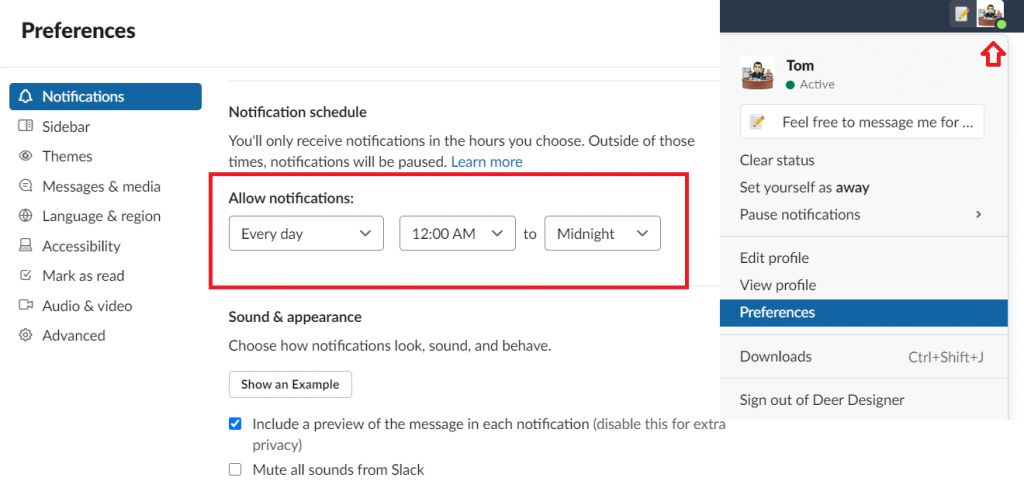
In order for you to get notified in Slack, you need to modify the settings.
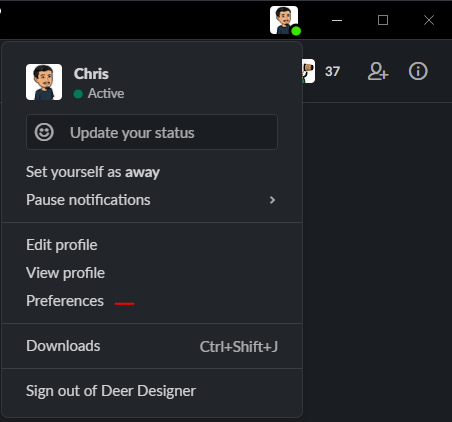
Go to your profile photo in the upper right corner and select Preferences.
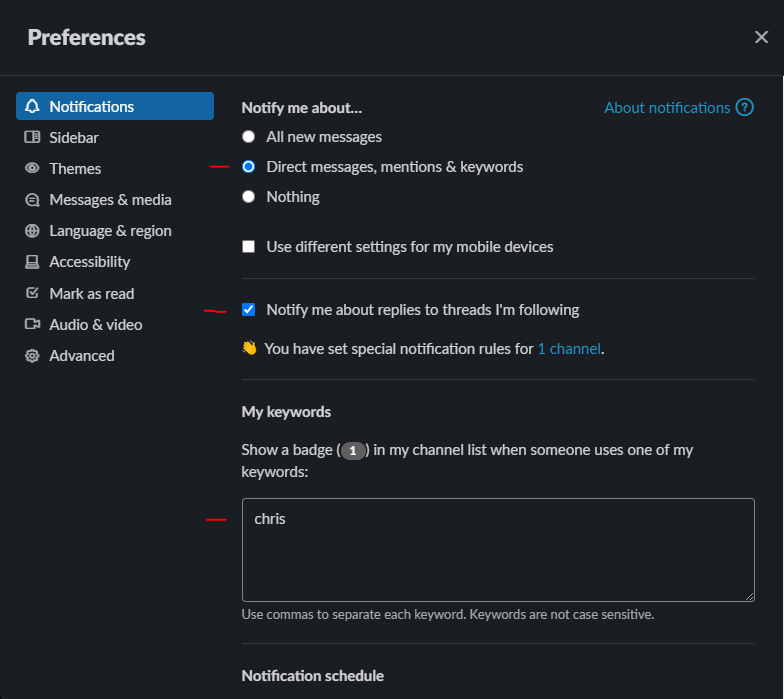
In the Notifications tab, select “Direct messages, mentions & keywords”
Check Notify me about replies to threads I’m following”.
In My keywords, add your name/nickname in the empty box so you will be automatically be notified when someone mentions your name.
- In the Notification schedule, change the Allow Notifications to Every day | 12:00 AM to Midnight